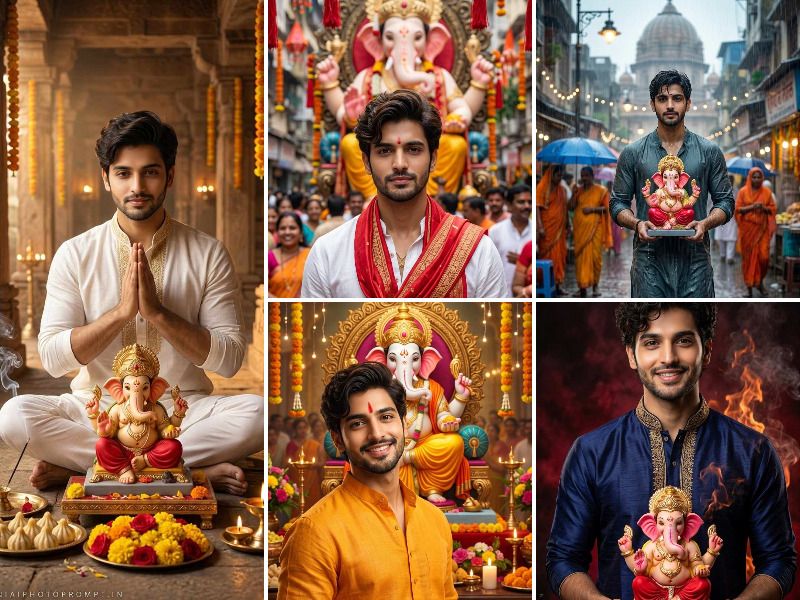
Celebrate Ganesh Chaturthi with breathtaking AI-generated photos using our ready-to-use prompts for Gemini AI and ChatGPT. Whether you want a traditional Maharashtrian look, a festive street celebration, or a devotional diya scene, these prompts help you create stunning, realistic images in seconds. Simply replace [NAME] with your name, upload your photo, and let AI do the magic. Perfect for sharing on Instagram, WhatsApp, and Facebook during the Ganeshotsav festival season.
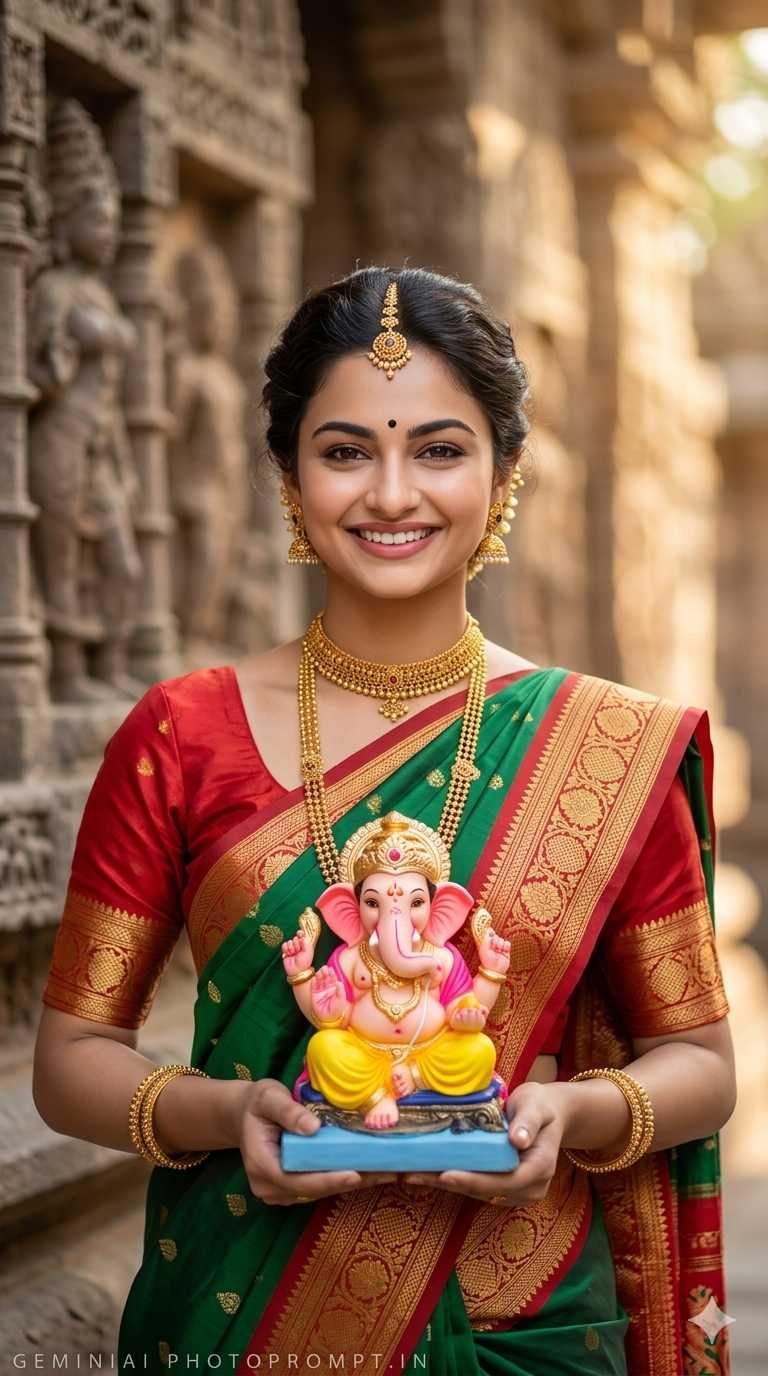
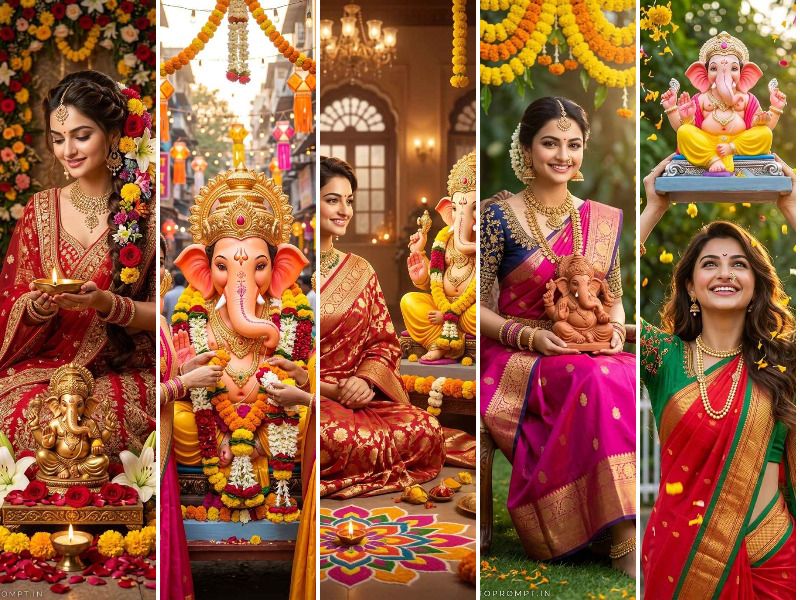
A beautiful Indian woman named [NAME] wearing a traditional green and red Paithani silk saree with gold zari border, paired with a red blouse. She is adorned with gold jewelry including a choker necklace, long layered gold chain, gold bangles, and traditional earrings with hair accessories. She has a black bindi on her forehead and her hair is neatly tied in a bun with gold ornaments. She is holding a colorful Lord Ganesha idol (pink elephant head, yellow dhoti, seated on a blue base) with both hands, smiling warmly at the camera. Background is a blurred ancient stone temple wall with carved sculptures. Professional photography, soft bokeh background, warm natural lighting, highly detailed, photorealistic, 8K quality. Face must be 100% identical to the uploaded reference image. Add subtle small aerial font text "G E M I N I A I P H O T O P R O M P T . I N" at the bottom left corner in light grey transparent color. Aspect ratio 9:16.
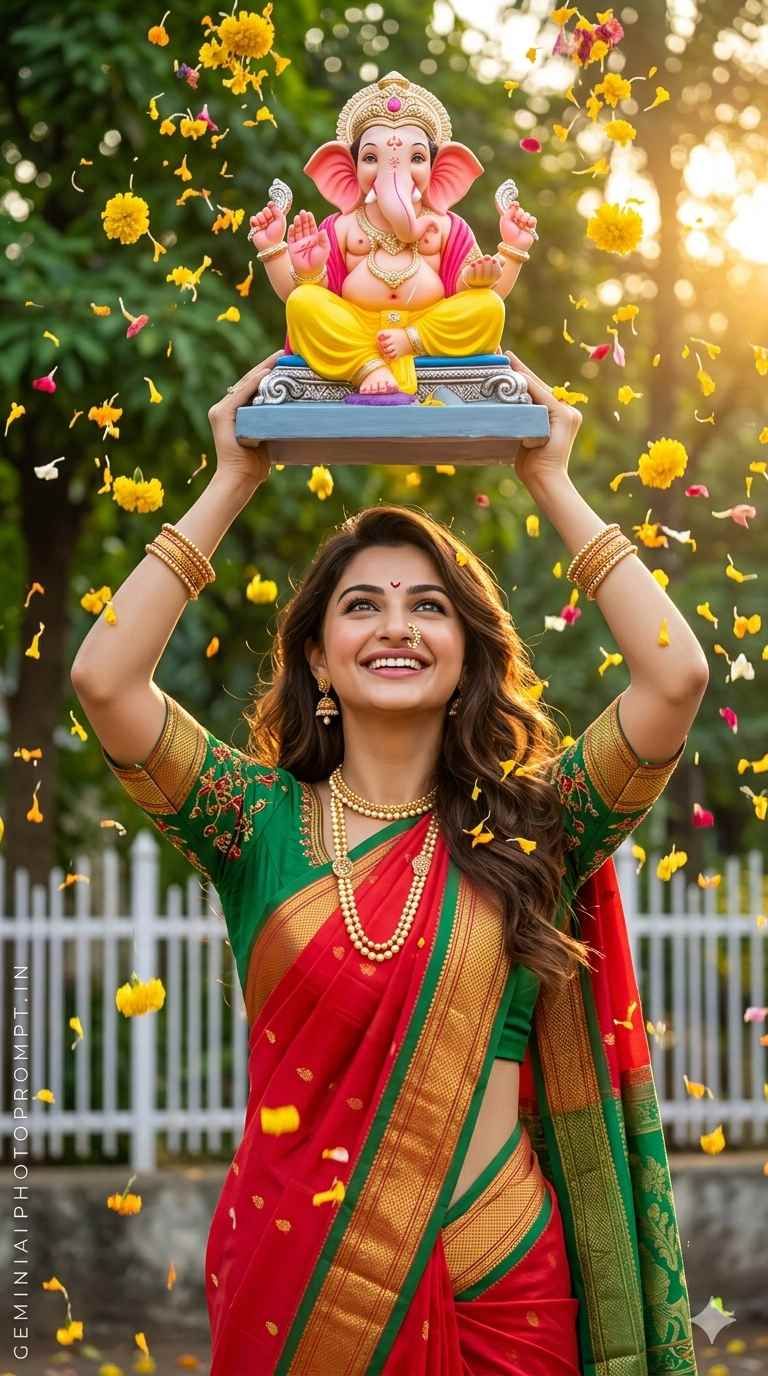
A beautiful Indian woman wearing a vibrant red and green traditional Maharashtrian silk saree with gold zari border and green embroidered blouse. She is adorned with a gold pearl necklace, gold bangles, traditional earrings, and a nose ring. She is lifting a Lord Ganesha idol (pink elephant head, yellow dhoti, seated on a blue platform with silver base) above her head with both hands, smiling joyfully. Yellow marigold and flower petals are raining/falling all around her in the air. Background shows lush green trees and a white fence with warm golden sunlight. Festive Ganesh Chaturthi celebration mood. Professional photography, dynamic composition, vivid colors, highly detailed, photorealistic, 8K quality. Face must be 100% identical to the uploaded reference image. Add subtle small aerial font text "G E M I N I A I P H O T O P R O M P T . I N" at the bottom left corner in light grey transparent color. Aspect ratio 9:16.
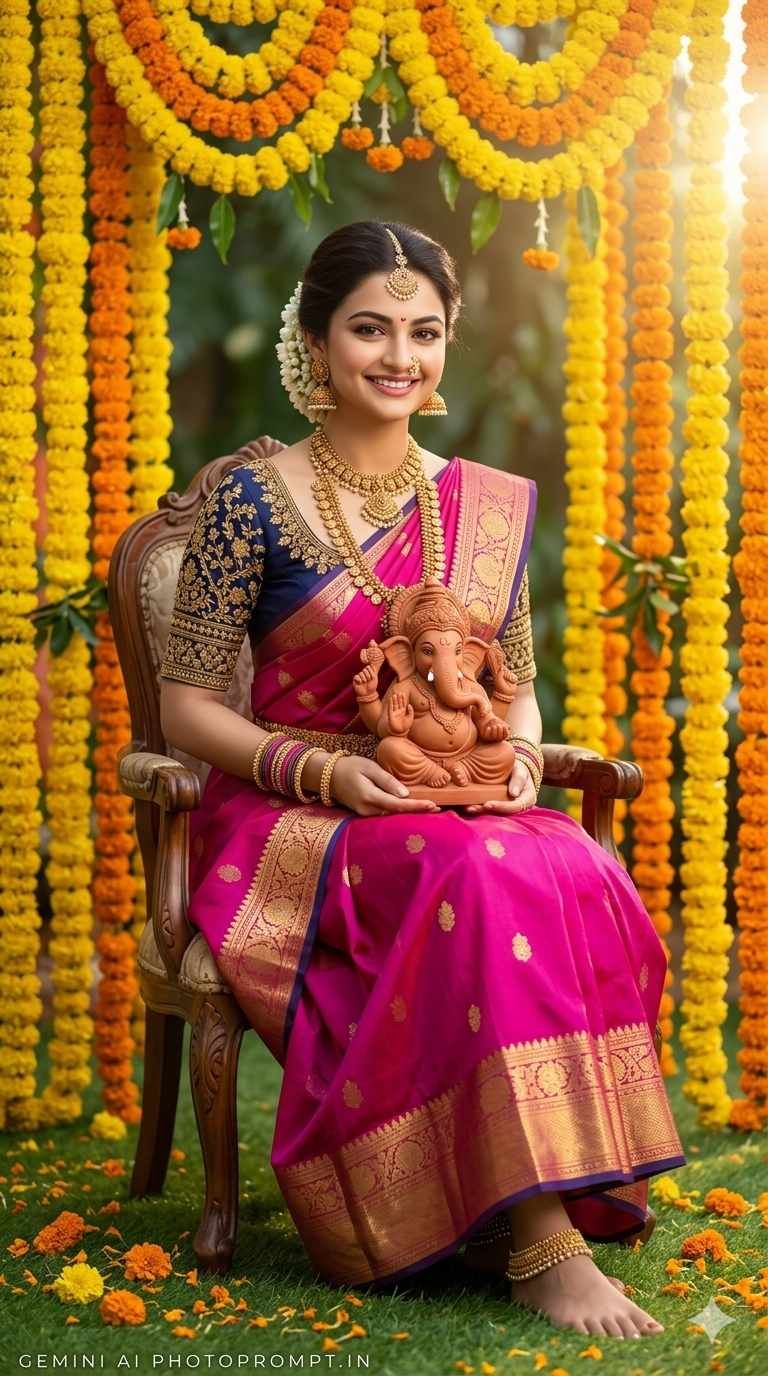
A beautiful Indian woman sitting gracefully on a chair wearing a vibrant magenta pink Kanchipuram silk saree with gold zari border, paired with a dark navy blue embroidered blouse with gold detailing. She is adorned with heavy antique gold temple jewelry including a layered necklace, maang tikka, nose ring, earrings, bangles, and anklets. Her hair is styled in a side bun decorated with white jasmine flowers. She is holding a natural clay/terracotta Lord Ganesha idol on her lap. Background features a stunning floral arch decoration with yellow and orange marigold flower garlands. Yellow marigold petals scattered on green grass floor. Rainbow Photography studio setting. Professional photography, lush festive background, warm natural lighting, highly detailed, photorealistic, 8K quality. Face must be 100% identical to the uploaded reference image. Add subtle small aerial font text "G E M I N I A I P H O T O P R O M P T . I N" at the bottom left corner in light grey transparent color. Aspect ratio 9:16.
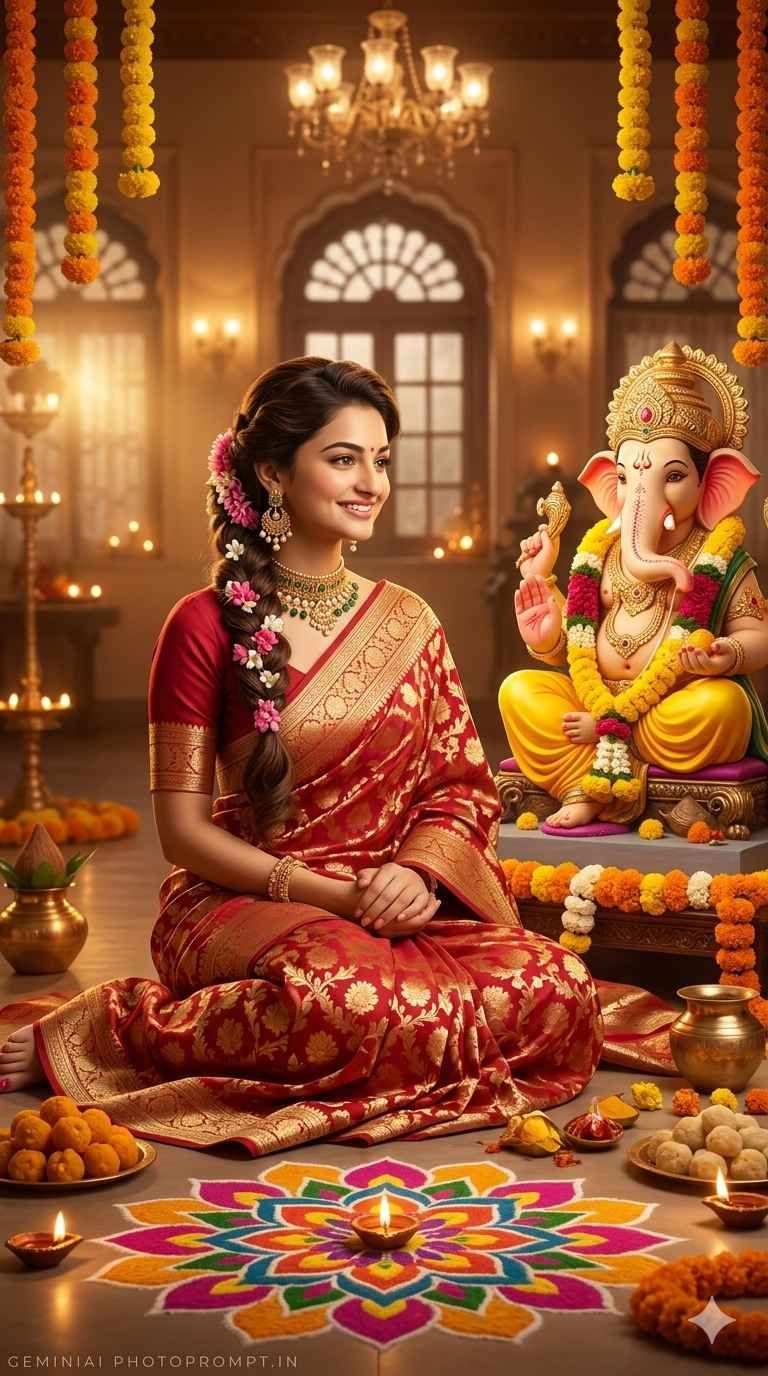
A beautiful Indian woman sitting cross-legged on the floor in a devotional pose, wearing a rich red and gold Banarasi silk saree with intricate gold brocade floral patterns. She is adorned with gold jewelry, earrings, and has pink and white flowers woven into her long dark hair braid. She is sitting in front of a large ornate Lord Ganesha idol dressed in yellow with flower garlands, facing the deity with a peaceful and devoted expression. Surrounding the scene are lit diyas/oil lamps, a colorful rangoli with floral mandala design on the floor, offerings of sweets, marigold flowers, and brass decorative pots. Background shows a warmly lit traditional Indian room with arched windows, hanging marigold garlands, chandeliers, and soft glowing lights. AI generated, cinematic warm golden lighting, ultra realistic, highly detailed, 8K quality. The woman and the background figure must have completely different faces. Face of [NAME] must be 100% identical to the uploaded reference image. Add subtle small aerial font text "G E M I N I A I P H O T O P R O M P T . I N" at the bottom left corner in light grey transparent color. Aspect ratio 9:16.
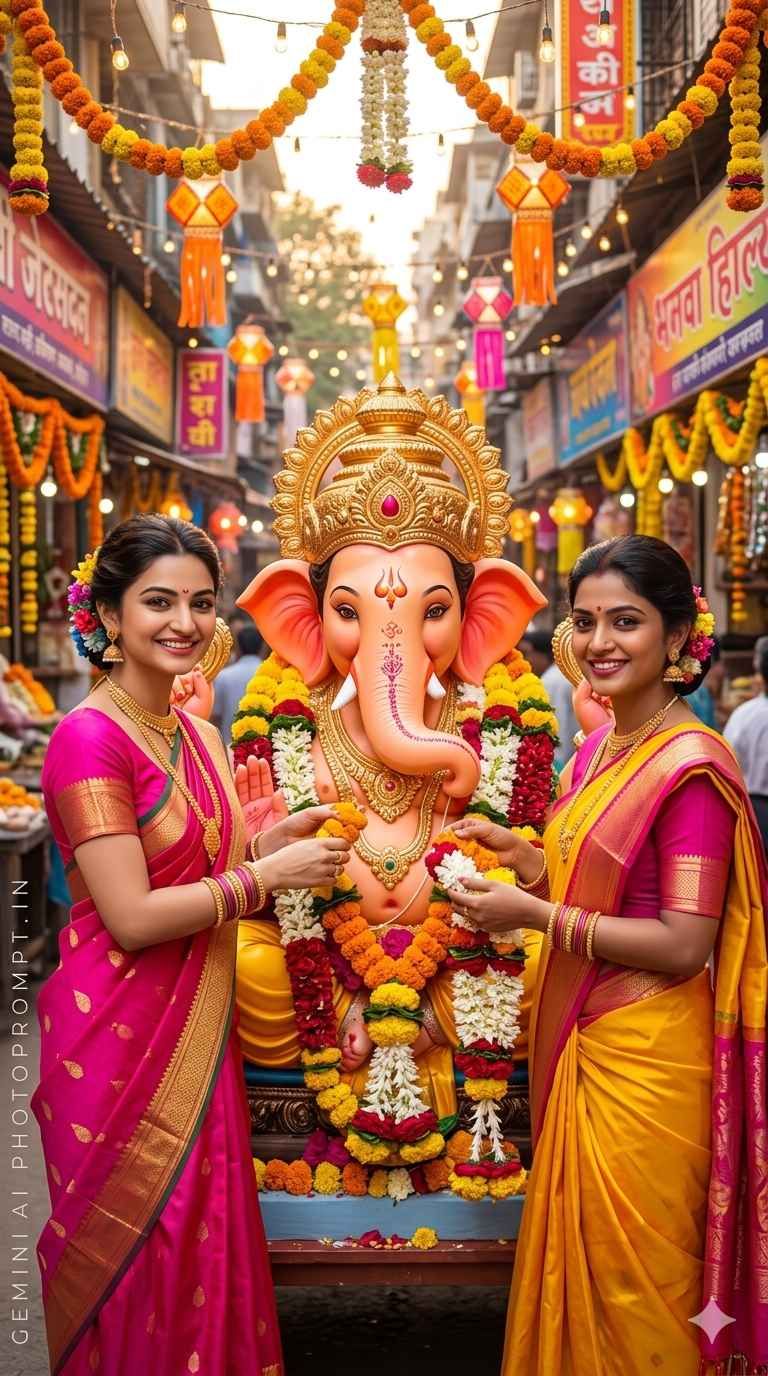
Two beautiful Indian women standing on either side of a large decorated Lord Ganesha idol, both smiling joyfully. on the left is wearing a bright pink and gold silk saree. on the right is wearing a vibrant yellow and pink silk saree. Both women are adorned with gold jewelry, bangles, and have colorful flowers in their hair. They are both offering and placing flower garlands on the richly decorated Ganesha idol which has an orange/pink face with a large golden crown and is surrounded by marigold, white, and red flowers. The background is a festive, colorful Indian street market decorated with hanging lanterns, string lights, orange and yellow marigold garlands, and vibrant shop signs. Ganesh Chaturthi celebration mood. AI generated, vivid festive colors, cinematic lighting, ultra realistic, highly detailed, 8K quality. [NAME 1] and [NAME 2] must have completely different faces from each other. Both faces must be 100% identical to their respective uploaded reference images. Add subtle small aerial font text "G E M I N I A I P H O T O P R O M P T . I N" at the bottom left corner in light grey transparent color. Aspect ratio 9:16.
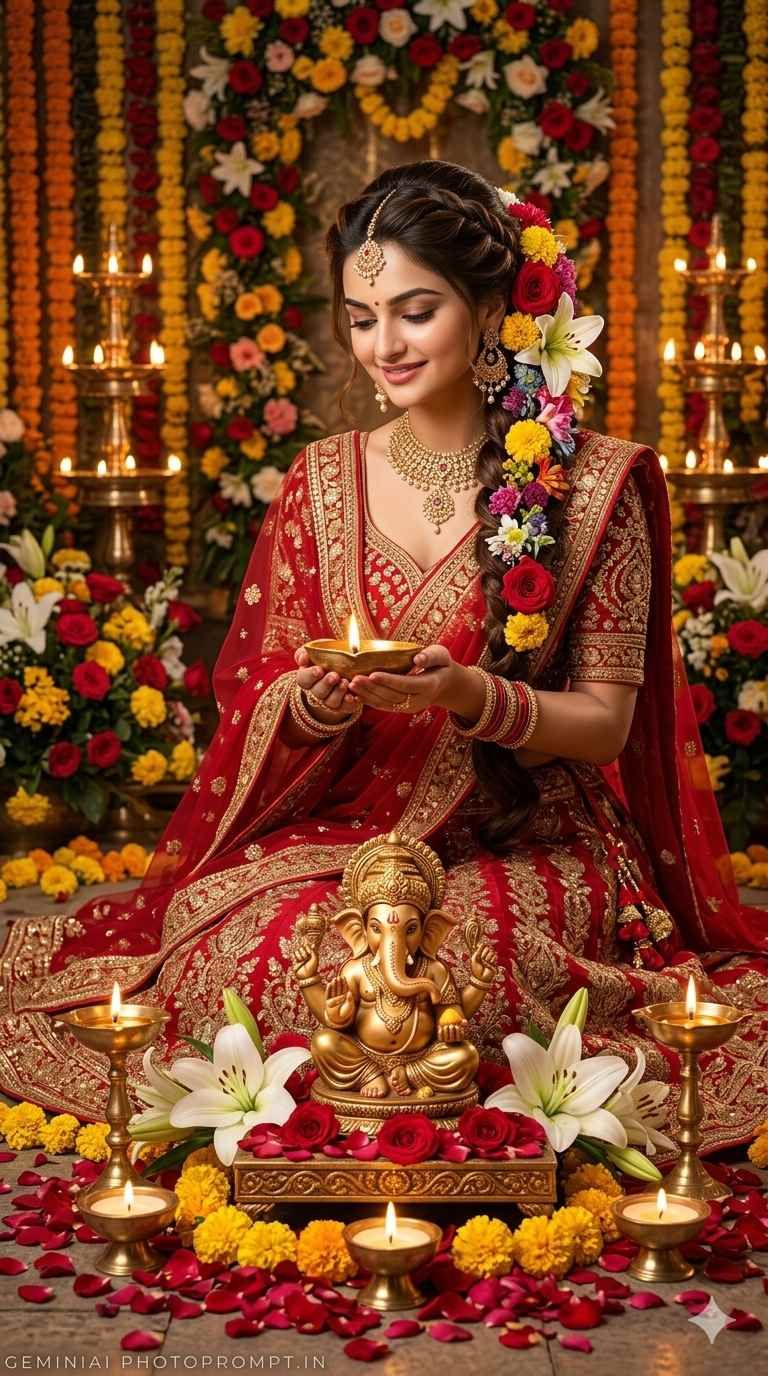
A beautiful Indian woman kneeling gracefully and holding a lit diya/oil lamp in both hands with a soft devotional smile, wearing a rich red and gold heavily embroidered bridal lehenga or saree with intricate zari work. She is adorned with gold and red bangles, gold earrings, and has an elaborate floral hair braid decorated with red roses, yellow marigolds, white lilies, and mixed colorful flowers. In front of her is a golden Lord Ganesha idol seated on a decorated platform, surrounded by red rose petals, yellow marigold flowers, multiple lit diyas in brass holders, and fresh white lilies. The entire scene is filled with rose petals scattered on the ground and an ornate floral backdrop with marigold garlands, roses, and warm glowing candlelight. Rich, warm romantic golden lighting. AI generated, ultra realistic, cinematic mood, highly detailed, 8K quality. Face must be 100% identical to the uploaded reference image. Add subtle small aerial font text "G E M I N I A I P H O T O P R O M P T . I N" at the bottom left corner in light grey transparent color. Aspect ratio 9:16.